Windows Only
Near-Infinite Context for AI Agents
AI context windows are limited. Your data isn't. Context Graph Connector (CGC) lets AI agents navigate terabytes of databases and documents on demand - and automatically builds knowledge graphs from what it finds.
The Context Window Problem
Claude can handle ~200K tokens. ChatGPT varies from 8K to 128K. Your database has millions of rows. Your documents have thousands of pages. You can't paste it all into a chat window.
The Old Way
Copy data → Paste into chat → Hit context limits → Truncate → Lose important information → Get incomplete answers. And MIT research shows AI reasoning degrades after ~33K tokens anyway ("context rot").
The CGC Way
AI navigates your data like a human analyst would. It queries what it needs, when it needs it. No context limits. No truncation. The AI asks follow-up questions to your database directly.
Context Graph Connector treats your data as an environment to explore, not a static snapshot to memorize.
Two Superpowers
Near-Infinite Context
Instead of stuffing data into a context window, CGC lets AI fetch exactly what it needs on demand. Your AI can work with terabytes of data because it's navigating, not memorizing.
You: "Who are our top customers this quarter?"
Claude uses cgc_sql to query orders table...
Claude: "Based on the data, Acme Corp leads with $45K in orders..."
Automatic Knowledge Graphs
CGC extracts structured relationships from text automatically. Feed it documents, and it builds a knowledge graph of Subject → Predicate → Object triplets you can query.
Input: "Apple was founded by Steve Jobs in Cupertino."
Extracts:
Apple → founded by → Steve Jobs
Apple → located in → Cupertino
How Data Navigation Works
The AI doesn't need ALL your data - it needs the RIGHT data at the RIGHT time.
Connect Your Sources
Databases (PostgreSQL, MySQL, SQLite), file folders, vector databases. CGC discovers schemas and structures automatically.
AI Gets a Map
CGC tells the AI what tables exist, what columns they have, how many rows, and how things relate. A map, not the whole territory.
AI Navigates On Demand
When you ask a question, the AI decides what to fetch. It runs queries, reads chunks, follows relationships - like a human analyst would.
Answers From Real Data
No hallucinations. No approximations. The AI gives you answers based on what's actually in your databases and documents.
Connect Everything
Context Graph Connector supports the data sources you actually use.
Databases
PostgreSQL, MySQL, SQLite. Auto-discover schemas, run SQL queries, explore relationships across tables.
Documents
PDF, Word, Excel, CSV, JSON, Markdown, and 50+ code file types. Smart chunking by rows, tokens, or sections.
Vector DBs
Qdrant, Pinecone, pgvector, MongoDB Atlas. Semantic search across your indexed content.
Three Ways to Use Context Graph Connector
MCP Server
Direct integration with Claude Desktop and Claude Code on Windows. Your AI uses your data seamlessly during conversation. Lightweight executable with fast startup.
Best for: Claude Desktop, Cursor, VS Code (Windows)
HTTP API
Connect to automation tools like n8n, Make.com, Zapier, or custom applications. Build AI workflows with real data access.
Best for: No-code automation, custom apps
Command Line
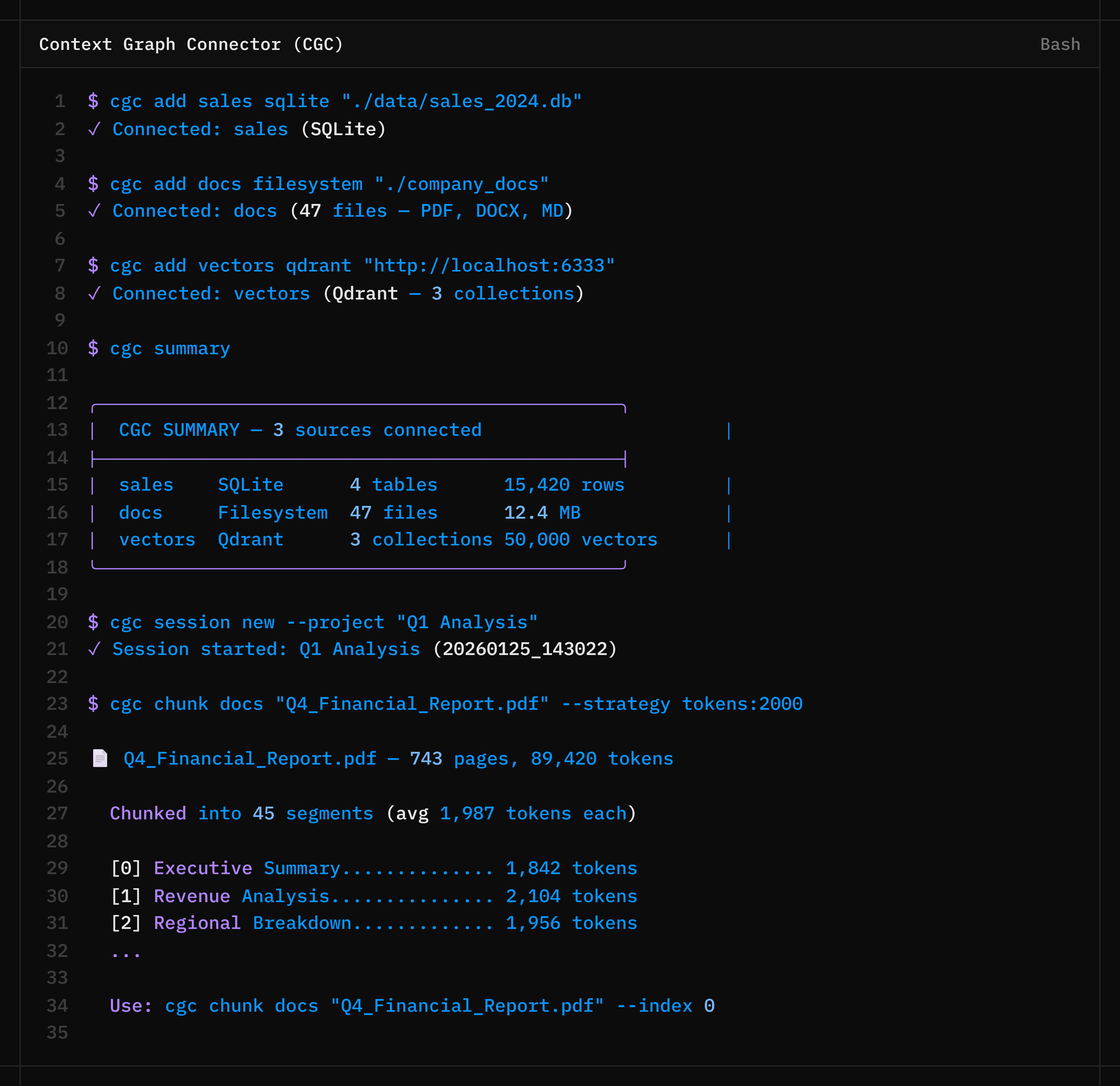
Quick queries and scripting for developers. Connect sources, run SQL, extract triplets, chunk documents - all from your terminal.
Best for: Developers, scripting
What You Can Build
Database Q&A
Connect your PostgreSQL database. Ask Claude: "Who are our top 10 customers by revenue this quarter?" Claude queries directly and answers with real numbers.
Document Knowledge Graphs
Feed CGC your research papers, contracts, or reports. It extracts entities and relationships into a queryable knowledge graph automatically.
Cross-Source Investigation
Connect CRM, support tickets, and email logs. Ask about a specific customer and get their complete journey across all systems in one answer.
Large Document Analysis
Process 700-page annual reports. CGC chunks them intelligently and lets Claude navigate to exactly the sections it needs to answer your questions.
Why Context Graph Connector
100%
Local
Your Data Never Leaves Your Machine
No cloud, no subscriptions, no data sharing. CGC runs entirely on your Windows PC. Your databases and files stay private.
€69.99
One-Time
Pay Once, Own Forever
No monthly fees. No per-query pricing. No surprise bills. One purchase, free updates for a year, yours to keep.
0
Dependencies
No Python, No Setup Headaches
Standalone Windows executables. Download, run, connect. No Python installation, no package managers, no environment variables.
What's Included
cgc.exe
Full CLI and API server with all features including triplet extraction
cgc_mcp.exe
Lightweight MCP server optimized for Claude Desktop integration on Windows
Documentation
API reference, CLI guide, MCP setup instructions, triplet extraction examples
System Requirements
Windows 10/11 Only
Mac and Linux versions are not available. This product is Windows-only.
Give Your AI Infinite Context
Context Graph Connector lets AI agents navigate terabytes of data on demand. Build knowledge graphs automatically. All running locally on your Windows PC.
One-time purchase. No subscription. Free updates for 1 year.
Buy CGC for Windows